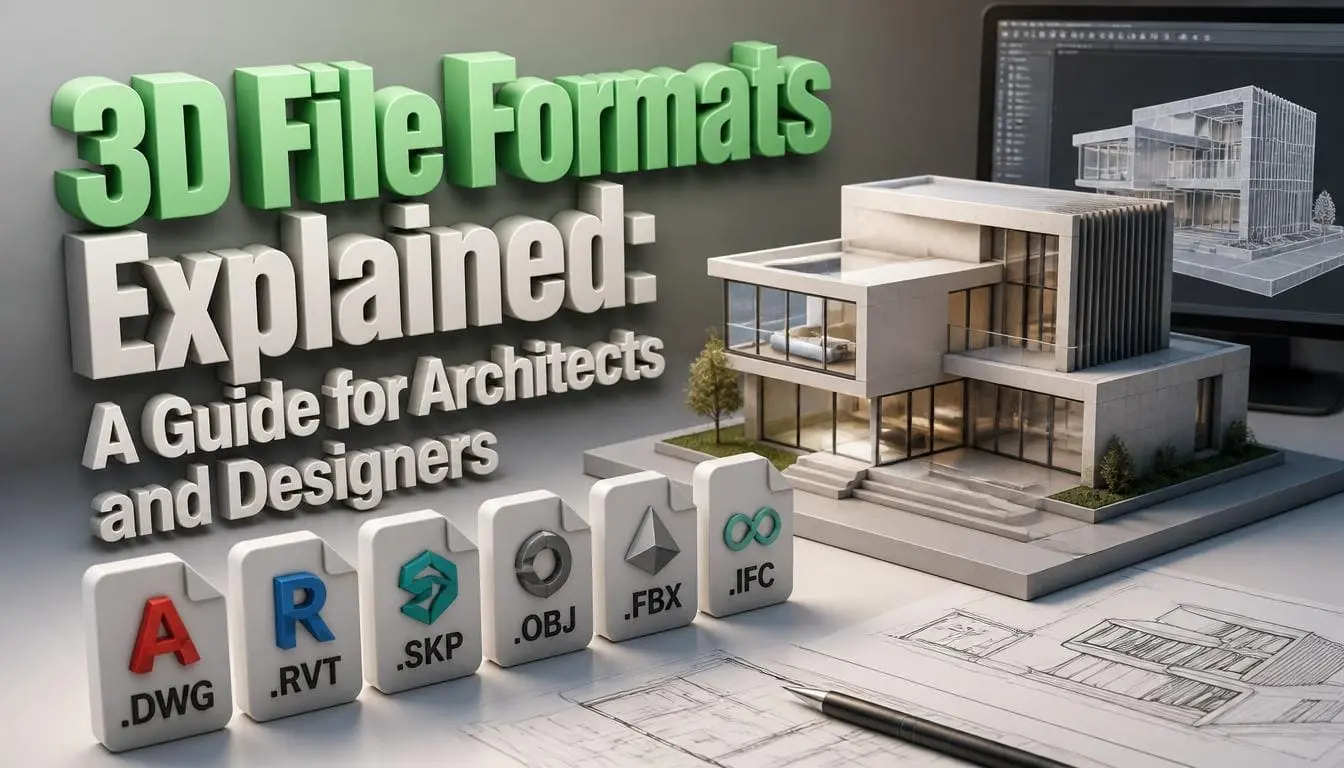
3D File Formats Explained: A Guide for Architects and Designers
Sending a file to a renderer and getting an error. Receiving a model from a client that would not open in the software. Losing materials, textures, or geometry in translation between platforms. All these are common problems for architects and designers, and 3D artists. In many cases, the main error is using the wrong 3D file formats.
This blog explains the most common 3D model file formats used in architectural visualization and construction design. You can learn:
- What each format is used for
- Where it fits in the workflow
- How to choose the right format at every stage
Why Choice of 3D File Formats Matters in Archviz
A 3D file format does more than store a model. It determines what data is stored, such as:
- Geometry
- Materials
- Textures
- Lighting
- Scale
- Hierarchy
The wrong format leads to data loss during model movement from one software program to another.
CAD File Types: The Starting Point for Most Projects
Most architectural projects originate in a CAD or BIM environment. The file formats at this stage carry more than geometry. They store layers, object hierarchies, parametric relationships, and embedded project data. Understanding CAD file types for construction covers the full picture of how these files work within the construction process.
DWG (.dwg)
- It is a commonly used CAD file type in architecture.
- It is built for AutoCAD; it stores 2D and 3D vector data
- Supported by nearly every major design application.
DXF (.dxf)
- It is the open exchange version of DWG.
- It works well with many software programs.
- It is not as good as DWG, but it is suitable when you need file sharing among different platforms.
RVT (.rvt)
- It is Revit’s main file format and is used in BIM-based building design.
- It stores building data, i.e., geometry, materials, and project parameters.
- It is designed for Revit, so models need conversion before they are used in rendering.
IFC (.ifc)
- It is the open BIM standard.
- It allows building data to move between different platforms.
- It is commonly used in commercial and public projects because it is not limited to a single software program.
3D Model File Types for Rendering and Visualization
Once a design is ready to move into a rendering environment, CAD file formats are no longer the best choice. 3D file types designed for rendering are used at this stage.
FBX File Format Overview
- FBX (Filmbox) is one of the most commonly used 3D model formats in architectural visualization.
- It is basically built for animation workflows.
- Now, it is a standard exchange format among 3Ds Max and Maya tools.
Technical teams and developers who work directly with FBX data can reference the FBX file format overview for integration support and format specifications.
OBJ (.obj)
- OBJ is a simple and widely supported file format.
- It stores 3D geometry and basic material data.
- It is not as data-rich as FBX, but it works well across different software.
This makes it a reliable choice for model sharing and importing them into rendering engines.
3DS and MAX (.3ds / .max)
- These are 3Ds Max native and legacy formats.
- MAX files retain full scene data but are only readable within 3Ds Max itself.
- 3DS is a legacy export format that is widely supported but carries limited data.
SKP (.skp)
- It is widely used in initial architectural visualization.
- It is easy to use and works well with different software and plugins.
- It is best for concept renders, but not very suitable for complex projects.
WORKING WITH A DESIGN THAT NEEDS TO MOVE INTO A PROFESSIONAL RENDER PIPELINE? SEE HOW MODELS ARE HANDLED ACROSS FORMATS AND DELIVERED AS PRODUCTION-QUALITY RENDERS.
3D Modeling vs Rendering: How File Formats Fit the Workflow
3D modeling is the process of creating digital models of a building, such as walls, furniture, materials, and surfaces. At this stage, the focus is on model editing. So, formats like RVT, DWG, and MAX are used for this purpose.
Rendering converts a 3D model into a final image or animation. FBX, OBJ, and glTF are used for this purpose.
You need to explore 3D modeling vs rendering to understand how they differ in scope, tools, and output.
Which Format Do You Need? A Quick Decision Guide
See the checklist to find the right format:
- Sending a model to a rendering engine (V-Ray, Corona, Arnold) → FBX or OBJ
- Delivering a real-time or browser-based client walkthrough → GLB or glTF
- Sharing an AR experience for iOS or iPad → USDZ
- Handing geometry to a non-Autodesk pipeline with maximum compatibility → OBJ or IFC
- Transferring a full scene including lights, cameras, and animation → FBX
Real-Time and Presentation Formats
As real-time rendering and AR walkthroughs become standard client deliverables, a new generation of 3D file types has entered the archviz toolkit.
glTF / GLB (.gltf / .glb)
- It is the format for web-based and real-time 3D visualization.
- GLB loads quickly, stores everything in one file, and works well with AR platforms and real-time engines.
- For interactive client presentations, this format is a popular choice.
USDZ (.usdz)
- It is Apple’s file format for AR.
- It allows architectural models to be viewed using an iPhone or iPad.
- It is widely used in real estate presentations
NEED YOUR DESIGN DELIVERED AS AN INTERACTIVE REAL-TIME WALKTHROUGH OR AR EXPERIENCE? READ THE REAL-TIME VISUALIZATION PORTFOLIO FOR EXAMPLES OF HOW MODELS ARE OPTIMIZED AND DELIVERED FOR IMMERSIVE CLIENT PRESENTATIONS.
Choosing the Right Format: Three Questions That Settle It
Before exporting or requesting a file, three questions determine the right 3D file format for this task:
Where is it going?
The destination software or engine dictates compatibility. Checking import specifications before exporting prevents the majority of format errors.
What data must survive the transfer?
Materials, animation, scene hierarchy, and lighting data each have format-specific support levels. FBX handles all of them; OBJ handles very few beyond geometry.
Will the file be edited again?
If yes, prefer an editable source format.
Conclusion
Choosing the best 3D file formats is essential in architectural visualization projects. An accurate format keeps data safe, prevents compatibility errors, and saves time. It also allows easy model movement among different software programs. As the importance of AR, BIM processes, and real-time rendering is increasing, it is imperative to understand which 3D model file types fit at each project stage.
Frequently Asked Questions
Q1: Which is the widely used 3D file format in architectural projects?
FBX is the most commonly used format for transferring models into rendering and real-time engines. DWG remains the standard for CAD and construction documentation. These serve different stages of the same pipeline.
Q2: Is glTF replacing FBX for architectural visualization?
Not entirely. glTF is becoming a significant format for real-time and web-based client presentations. For offline rendering in traditional pipelines, FBX is the best.
Q3: What 3D format is best for sharing a model with a client?
For viewing in a browser or AR device, GLB or USDZ are the most accessible options. For sharing an editable model with another design professional, FBX or OBJ are more appropriate depending on what the recipient’s software requires.