Ten Benefits of 3D Visualization Technology for Architects
3D visualization technology for architects means using 3D models, realistic materials, dynamic lighting, and precise camera viewpoints to create realistic renderings of a design before construction begins. 3D visualization matters because architects communicate ideas clearly, compare design alternatives, and spot potential issues before changes become more costly.
3D architectural visualization helps architects present designs clearly before construction begins. For detailed, presentation-ready visuals, architects can use professional 3D rendering services to showcase their projects to clients and developers.
What 3D Visualization Covers Today
3D visualization is the process of turning ideas, CAD drawings or raw data into 3D images, animations, virtual tours or interactive scenes.
3D visualization for architects involves the following types:
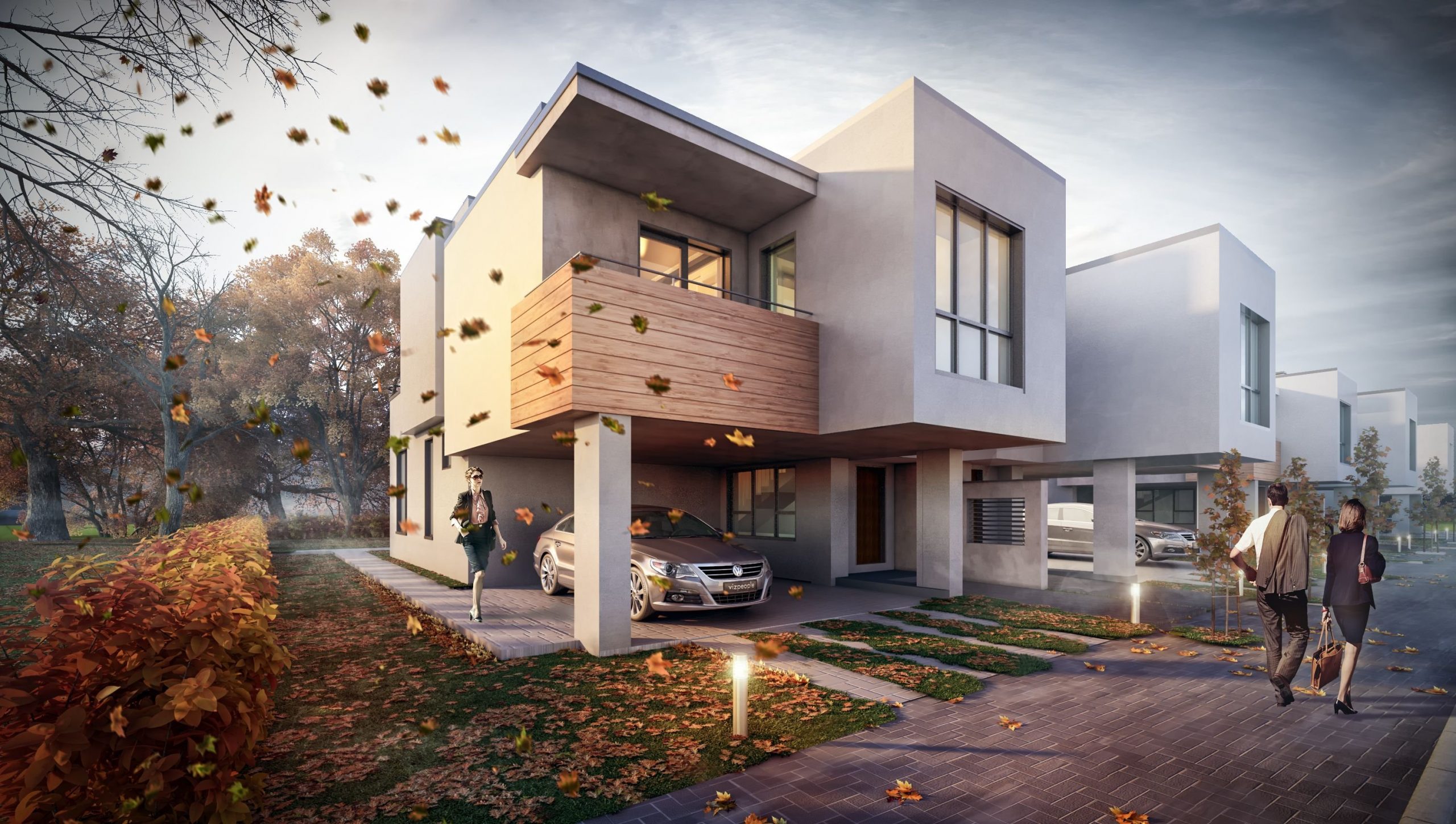
- Exterior rendering: Shows the building on its real site, with the neighbors, trees and street life around it.
- Interior stills: Show the materials, fixtures and lighting as you would see them standing in the room.
- Animations and fly-throughs: Show how you move from one space to the next.
- 360-degree panoramas: Let clients look around a space on their phone.
- Real-time and VR scenes: Let reviewers walk through the space at full size.
How 3D Visualization Technology for Architects Fits Into Daily Work
1. Faster Client Approvals
Clients delay approving a design because plans are hard to picture. 3D visualization shows the same design as an image or a 3D walkthrough. Clients can see the size, layout and materials right away.
A 2026 Advancing Architectural Visualization study explained how architects explain designs to clients. The study finds that people understand 3D models, renders and walkthroughs better than 2D drawings. Walkthroughs and high-quality renders work best. Projects that use them see fewer revisions, fewer mix-ups and faster approvals.
2. Early Design Error Detection
Space problems are easy to miss on a flat drawing. With 3D visualization, the team looks at a plain gray model from standing height. That helps them spot problems like these early:
- A door that swings into a stair
- A beam that hangs lower than the ceiling next to it
- A corridor that looks wide on paper but feels tight once the doors go in
- A window that sits too low or too high for the room
A plain gray model keeps everyone focused on size and space, not color. At this stage, moving a wall is a quick edit in the model. Once the construction drawings are issued, the same change takes much longer.
3. Easier Zoning and Planning Approvals
Planning officers, review boards and neighbors want to know how the building will fit in. 3D visualization shows them the view from the street, the height next to nearby buildings and the shadow at a set time of day.
Site plans and elevations give heights and distances as measurements. Most people find it hard to picture those numbers on a real street. A 3D image makes the details clear. A realistic street view shows how the new building sits next to the surrounding buildings.
4. Better Material and Lighting Decisions
3D visualization helps architects and clients choose materials with confidence. Light changes how every surface looks. A render shows each option in the same light and from the same camera angle, so comparisons are fair. Common checks include:
- Flooring: A living room shown with a light floor and a dark floor side by side.
- Wall color: The same color seen in morning sun and in evening light.
- Daylight: A large window tested at noon and at dusk. If the room looks dim in the evening, the team adds lighting to the plan.
5. Clearer Cost and Budget Decisions
Budget discussions are easier when the choices are visible. With 3D visualization, an architect can show two or three versions of the same space, such as a large glass opening against a smaller one.
The client can view the two versions side by side and decide which one is worth the price. For example, a smaller window may be enough for the room, and the money saved can pay for better flooring, kitchen cabinets or light fittings.
6. Fewer Change Orders and Disputes
Change orders start with a gap between what the client expected and what the drawings described. Reviewing 3D visuals before construction helps match the client’s expectations to the proposed design.
The client approves views of the actual design, such as the entrance, the main rooms and the street side. A signed-off list of images gives both sides the same record, so if a question comes up later about a window size or a wall color, they can check the signed images. Fixing a problem early costs much less than fixing it later.
7. Stronger Pitches and Competition Entries
3D visualization helps architects present ideas that juries and clients understand at first glance. Competition entries are reviewed quickly, so concepts that need explaining often get passed over. One model produces a consistent set of images:
- Lead image: Explains the idea within the first minute.
- Interior views: Show how the rooms connect.
- Plan diagram: Matches the exterior and interiors, because every image comes from the same model.
8. Faster Pre-Sales and Investor Funding
Buyers and investors want to see what they are paying for, and 3D visualization lets a developer start selling and leasing while the building is still being designed. These are the images that make that possible:
- Exterior views that show the finished building in its setting, by day and at night
- Interior views with the planned finishes, so buyers can judge the quality of the space
- Furnished floor plans, so buyers can see if a bed or a sofa will fit
- Walkthroughs of the main spaces, which can be shared online with buyers and investors in any city
9. Better Team Coordination
Architects, structural engineers, MEP consultants, and contractors each read a project differently. 3D visualization gives them one shared model, built from the same Revit or SketchUp model as the drawings, so there is less misunderstanding and clearer communication.
A 2026 Multiuser Immersive VR versus BIM Platforms study on remote project team meetings found that multiuser immersive VR cut average meeting duration by 26.7% and improved the accuracy of final decision reporting compared with a BIM platform. Shorter meetings save time for everyone involved.
10. Cost Effective
3D visualization is a cost-effective way to show a design before it is built. A change on the screen takes a few edits, while a change to a physical model means rebuilding it, and a change on site means redoing finished work.
The same 3D model provides images, videos and walkthroughs, so design review, approval and marketing are covered at the same time. Clients can avoid extra costs by reviewing the 3D visualization early and requesting changes before construction starts.
How to Get More Value From Each Visual
Getting real value from 3D visualization technology for architects depends on planning, not only software. Use this guide to match the output to the project stage.
| Project stage | Best output | What it helps decide |
| Concept | Quick real-time views, AI sketches | Massing and overall direction |
| Design development | Option comparisons, material studies | Façade, finishes, lighting |
| Planning | Street-level and aerial context views | Height, scale, impact on neighbours |
| Pre-construction | Interior views, VR | Layout, fixtures, client sign-off |
| Marketing | Photoreal stills, animation | Sales, leasing, investment |
Should You Keep Visualization In-House or Outsource It?
Architects make quick review images in-house with real-time plugins in Revit or SketchUp. Final marketing visuals need more work, such as detailed lighting, landscaping, people and post-production. A simple approach works well. Keep basic visualization in-house and send the final client, planning and sales renderings to specialists. This frees architects to focus on design and keeps the visuals high quality.
What are the Common Limitations to Consider in 3D Visualization?
3D visualization for architects is useful, but it has limits. Knowing them helps you use it better.
- Dependence on Accurate Input: Mistakes in drawings, dimensions or materials show up in the visuals.
- Real Results Differ: The finished building looks slightly different because of light, weather, and site conditions.
- Potential for Misinterpretation: Clients may mistake renders for final designs, so make clear what is confirmed.
- High Software and Hardware Costs: Software, hardware, skilled staff and revisions all add cost.
- Limits in Technical Checking: 3D visuals do not replace engineering checks, building regulations or BIM for clash detection and quantity calculations.
Final Thoughts
The real value of 3D visualization is not just realistic images. It makes architectural designs easier to understand and judge before construction begins. With accurate project information and technical checks behind it, it becomes more than a presentation tool. Complex design calculations that once took a long time now finish faster, with better accuracy and reliability.
Frequently Asked Questions
Q1: How is 3D visualization different from a BIM model?
A BIM model, usually built in Revit, holds project data, and your construction drawings come from it. A visualization model has a different job: making images. That is why it gets richer materials, proper lighting and furniture. The two are related, but you rarely swap one for the other.
Q2: Which software do architectural visualizers use?
Most studios build models in 3ds Max, Revit or SketchUp and create still images in V-Ray or Corona Renderer. Lumion, Twinmotion or Unreal Engine are the usual choices for real-time and VR work.
Q3: What do I send a studio before a render starts?
Send plans, elevations and sections (DWG or PDF), the 3D model if you have one, a material schedule, site photos, a few mood references and a list of the camera views you want.
Q4: Is 3D visualization for architects worth it at a small practice?
Yes. Start with the two or three images that answer your client’s biggest doubts. Save animation and VR for when the budget makes sense.
Q5: Is a render accepted for planning approval?
Treat a render as supporting material, not a replacement for the required drawings. It must match the submitted heights, massing and materials. Check your local planning department’s checklist too, since some do not accept renders at all.