Top Best Architectural Render Engines For Architecture in 2026
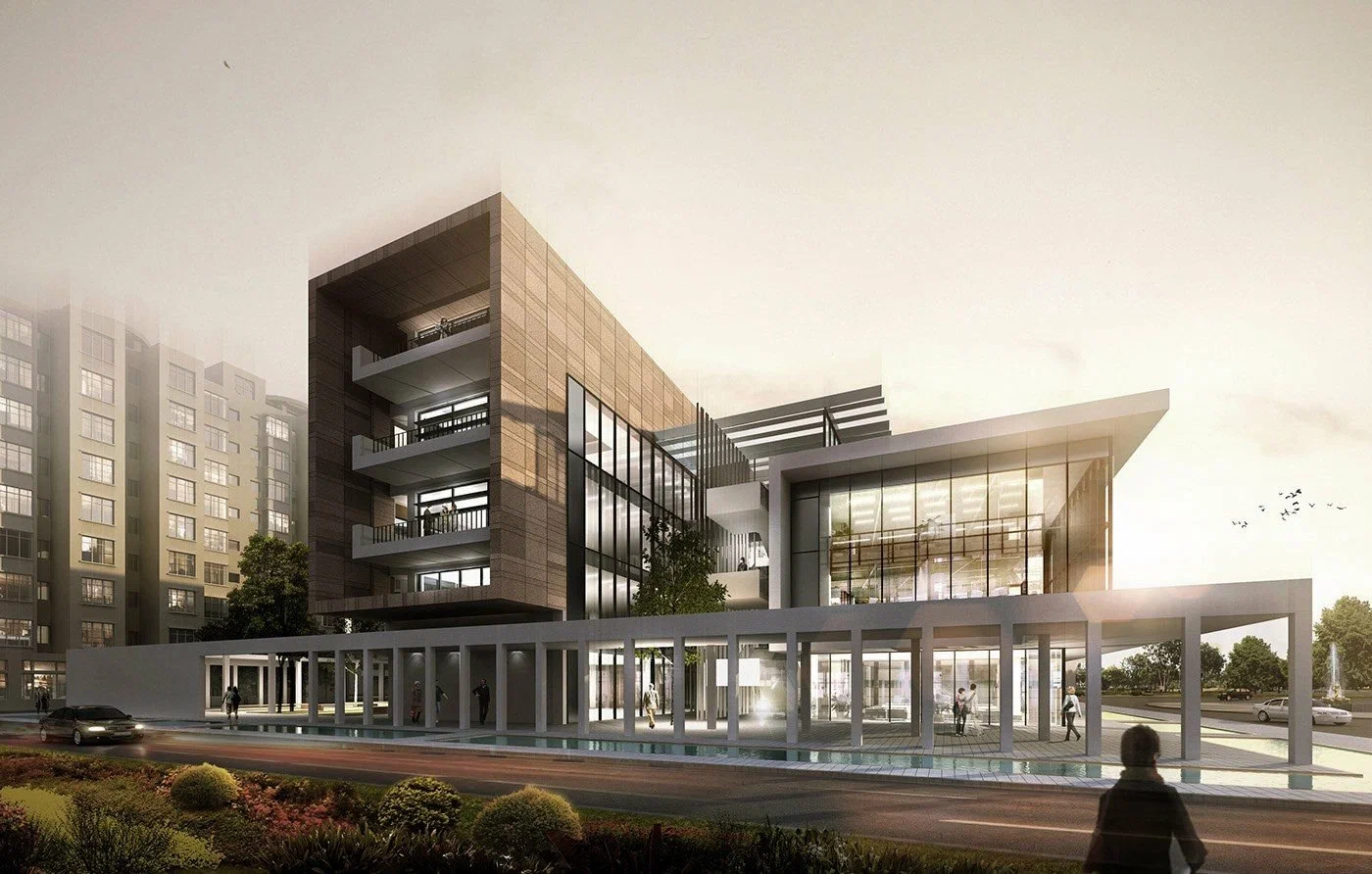
The best architectural render engines in 2026 are:
- V-Ray 7 for final still images
- Enscape for live rendering inside Revit and SketchUp
- D5 Render for value
- Lumion Pro for exteriors and landscapes
- Twinmotion for free walkthroughs
- Corona 15 for interiors
- Unreal Engine 5.8 for VR tours
- Blender for zero-cost work
Most studios run two of these architectural render engines, usually one real-time tool for design and one offline engine for final shots.
Each engine below is judged on five things that matter on real projects: image quality, speed, the design apps it links to, yearly cost, and hardware needs.
What are the Best Architectural Render Engines in 2026?
Eight engines lead in 2026, and each one wins a different job.
| Engine (2026 version) | Type | Best for | Links to | Runs on Mac? |
| V-Ray 7 | Offline (CPU + GPU) | Hero stills, lighting studies | 3ds Max, SketchUp, Rhino, Cinema 4D, Blender | Yes |
| Enscape 4.18 | Real-time plugin | Live design reviews | Revit, SketchUp, Rhino, Archicad, Vectorworks | Yes |
| D5 Render 3.1 | Real-time standalone | Fast marketing stills on a budget | SketchUp, Rhino, Revit, 3ds Max, Archicad, Blender | No |
| Lumion Pro 2026.1 | Real-time standalone | Exteriors, landscape, site context | SketchUp, Revit, Archicad, Rhino | No |
| Twinmotion 2026.1 | Real-time standalone | Walkthroughs, small firms | Revit, SketchUp, Rhino, Archicad, Vectorworks | Yes |
| Corona 15 | Offline (CPU) | Interiors | 3ds Max, Cinema 4D | Via Cinema 4D |
| Unreal Engine 5.8 | Game engine | VR, interactive tours | Datasmith import from most CAD tools | Yes |
| Blender (Cycles) | Offline, open source | Zero-budget work | FBX, OBJ, IFC import | Yes |
Top 8 Architectural Render Engines for Architects in 2026
-
V-Ray 7: Best for Final Client Images
V-Ray is still the standard when an image must hold up on a billboard or in a sales brochure. The global illumination, physical camera, and material controls of V-Ray 7 give more control over light than any other tool here.
The big 2026 change is speed. V-Ray 7 Update 3 brought real-time rendering into the V-Ray viewport, first for SketchUp and Rhino users who hold an active Vantage or Collection license. Chaos also made V-Ray free for all Blender users with a Community Edition launched in May 2026.
The cost is time and skill. A complex hero shot still needs careful setup and long render runs. That’s why many architects outsource final stills to 3D architectural rendering services rather than pull a designer off drawings for days.
-
Enscape 4.18: Best for Live Rendering in Revit and SketchUp
Enscape renders inside your design app, so every wall you move updates live. There’s no export step and no second file to keep in sync.
Enscape 4.18, launched in May, supports Revit 2027, SketchUp 2026, Archicad 29 and Vectorworks 2026. Chaos now builds its Veras AI tool into every version of Enscape, V-Ray and Corona, so you can test styles and moods from the same model.
Enscape is a design tool first. Its images look clean, but glass, dense plants, and soft interior light fall short of V-Ray or Corona at print size.
-
D5 Render 3.1: Best Value Real-Time Engine
D5 gives near-final image quality at the lowest paid price of the major engines, as long as your office runs on Windows.
D5 3.1, shipped in July 2026, added D5 Lite plugins for Rhino and Revit, a live link for Blender, and an Interactive Presentation mode. The Pro plan also includes a City Generator for site context and AI tools for materials and mood.
Two limits matter in this architectural engine.
- D5 is a Windows-only app that needs a dedicated graphics card
- Its free tier is for non-commercial use only.
-
Lumion Pro 2026.1: Best for Exteriors and Landscapes
Lumion Pro is the quickest way to place a building in a living site, with nature, weather and mood tools built for outdoor scenes.
Lumion Pro 2026.1, released July 14, 2026, added ray-traced panoramas you can share as VR views through Lumion Cloud. Plus, it has a Pattern Editor for custom materials.
It’s the most costly architecture-focused real-time tool, and it requires Windows. Long flythroughs with phased construction and timed camera paths take a lot of design hours. Many developers hand that job to architectural animation services so the design team stays on deadline.
-
Twinmotion 2026.1: Best Free Option for Small Firms
Twinmotion is free for firms under $1 million in yearly gross revenue, with every feature and paid commercial work allowed. Above that line, a seat costs $445 per year.
It’s built on Unreal Engine, so it’s strong at walkthroughs, construction phasing and VR. It runs on Windows and Mac, but the Path Tracer isn’t available on Mac. Starting with version 2026.1, Mac users must also have Xcode installed.
One licensing change matters for larger firms. Since May 27, 2026, Unreal Subscriptions no longer include Twinmotion.
-
Corona 15: Best for Interior Renders
Corona gives true-to-life interiors with the fewest settings. Its default light looks right out of the box, and it renders on the CPU, so you don’t need a top graphics card.
Corona 15 came out in May 2026 for 3ds Max and Cinema 4D. It includes Veras with every subscription, and a Solo license costs $414 a year.
The catch is the host app. Corona has no Revit, SketchUp or Rhino plugin, so models must move into 3ds Max first. That extra step is why many design firms send kitchens, lobbies and show units to 3D interior rendering services rather than learn a new program mid-project.
-
Unreal Engine 5.8: Best for VR and Interactive Tours
Unreal Engine is the right pick when the client needs to walk, click, and explore, not just look. It powers VR tours, sales-center touch screens, and web configurators.
Unreal Engine 5.8 came out on June 17, 2026. It’s the last planned major UE5 release as Epic shifts its work to UE6. Non-game companies earning over $1 million a year pay $1,850 per seat. Everyone else uses it for free.
-
Blender (Cycles): Best Zero-Cost Render Engine
Blender’s Cycles engine is the strongest free option for teams willing to do setup work. It’s free forever and handles light well enough for portfolio and competition images.
The weak spot is BIM. Blender has no native Revit or Archicad link, so models arrive as FBX, OBJ or IFC files, and materials often need rework. These two new plugins help connect Blender to pro-grade engines.:
- The free V-Ray Community Edition
- D5’s live link
Should You Pick a Real-Time or Offline Render Engine?
Pick both if your budget allows. Real-time engines show results in seconds and win the design phase. Offline engines trace light for minutes or hours per frame and win final marketing images.
The 2024/25 CGarchitect Rendering Engine Survey found these trends:
- 56% of respondents already use AI tools in their workflow.
- Real-time engines like Unreal, Lumion, and Chaos Vantage keep gaining users.
- V-Ray and Corona still dominate overall.
Which Render Engine Works Best with Your Design Software?
Match the engine to the app you model in, because a live link saves hours on every project.
| Your main app | Best for live design | Best for final images |
| Revit | Enscape | D5 Render or Lumion Pro |
| SketchUp | Enscape or D5 Render | V-Ray |
| Rhino | Enscape or D5 Lite | V-Ray |
| Archicad | Enscape or Twinmotion | Lumion Pro |
| 3ds Max | Chaos Vantage | Corona or V-Ray |
| Blender | Eevee or D5 live link | Cycles or V-Ray |
| Any app on a Mac | Enscape or Twinmotion | V-Ray or Blender Cycles |
What Hardware Do Architectural Render Engines Need in 2026?
Plan on a dedicated graphics card with 8 GB of VRAM for real-time work, and 12 GB or more for VR and large sites. Even the best architectural render engines do not work properly on a weak card, so check specs before you buy a license.
- Enscape: 4 GB of VRAM minimum, 8 GB recommended (RTX 3070 Ti class), and 12 GB for VR
- Twinmotion 2026.1: 16 GB of RAM and a 6 GB card just to run. The Path Tracer needs 8 GB, and VR or big landscapes need 12 GB or more
- Lumion Pro 2026: a dedicated card scoring 8,000+ on PassMark’s G3DMark, 16 GB of RAM, and 64-bit Windows
- Corona: CPU-based, so core count matters more than the graphics card
- D5 Render: Windows only, with a dedicated ray-tracing card
How Much Do Architectural Render Engines Cost in 2026?
Pricing for the best architectural render engines runs from $0 to $1,850 per seat per year. These are US list prices as of October 2026:
- Blender: free
- Twinmotion: free under $1M revenue; $445 per seat per year above it
- D5 Render Pro: $360 per year
- Corona Solo: $414 per year
- V-Ray Solo: $540 per year
- Enscape Solo: $574.80 per year
- Lumion View / Pro: $229 / $1,149 per year
- Unreal Engine: free under $1M revenue; $1,850 per seat above it
The license is only part of the bill. Add a capable workstation and training hours before you compare. Architects struggle to keep up with technology costs and rollout.
Final Thoughts
The best architectural render engines in 2026 are the ones that fit your modeling app, your hardware, and the images your clients pay for. Start with a free trial on a live project, not a sample scene. If design reviews slow you down, add a real-time engine first. If final marketing images are the bottleneck, add V-Ray or Corona.
Frequently Asked Questions
Q1: What is the most used render engine for architecture?
V-Ray is the most used render engine in architectural visualization, followed by Corona. Real-time engines like Unreal Engine, Lumion and Chaos Vantage keep growing. Inside design firms, Enscape and Twinmotion are popular because they link straight to the model.
Q2: Is there a free render engine for commercial architecture work?
Yes. Blender is free for any use. Twinmotion and Unreal Engine are free for firms earning under $1 million a year. D5 Render’s Community plan is free but limited to non-commercial use, so client work needs D5 Pro at $360 per year.
Q3: Can AI replace render engines in 2026?
No. AI speeds up early ideas, style tests, and cleanup. It doesn’t produce the measured, design-accurate images that clients approve and builders rely on.