How to Create a 3D Model from Photos: A Complete Guide
To create a 3D model from photos, take 50 to 200 overlapping pictures of a subject from every angle. Then load them into photogrammetry software such as RealityScan, Meshroom, or Agisoft Metashape. The software finds matching points across the images, builds a 3D point cloud, turns it into a mesh, and wraps it in a texture made from your photos. Clean the mesh and export it as OBJ, FBX, GLB, or STL.
Can You Really Turn Photos into a 3D Model?
Yes. Any real object, room, or building can become a 3D model if you shoot enough good photos of it. The method is called photogrammetry. It works by spotting the same detail in several pictures and working out where that detail is positioned in space.
This is now a mainstream skill, not a lab trick. According to TechSci Research, the global photogrammetry software market is set to rise from USD 6.77 billion in 2025 to USD 18.41 billion by 2031, an 18.14% yearly growth rate. Game studios, surveyors, museums, and architects all rely on 3D modeling.
Which Method Should You Use: Photogrammetry, AI, or LiDAR?
Use photogrammetry when you need real detail and true shape. Use an AI image-to-3D tool when you only have one photo and need a quick concept. Use LiDAR when you are scanning a large space and need speed over fine texture.
| Method | Photos needed | Best for | Weak point |
| Photogrammetry | 30 to 500+ | Accurate objects, buildings, terrain | Struggles with shiny or plain surfaces |
| AI single-image tools (Meshy, Tripo) | 1 to 4 | Fast concepts, game props | Guesses hidden sides; not measurable |
| LiDAR scanning (iPhone Pro, iPad Pro) | Live scan | Rooms, rough floor plans | Low texture detail |
| Gaussian splatting (KIRI Engine, Polycam) | Video or photos | Realistic viewing on screen | Hard to edit or 3D print |
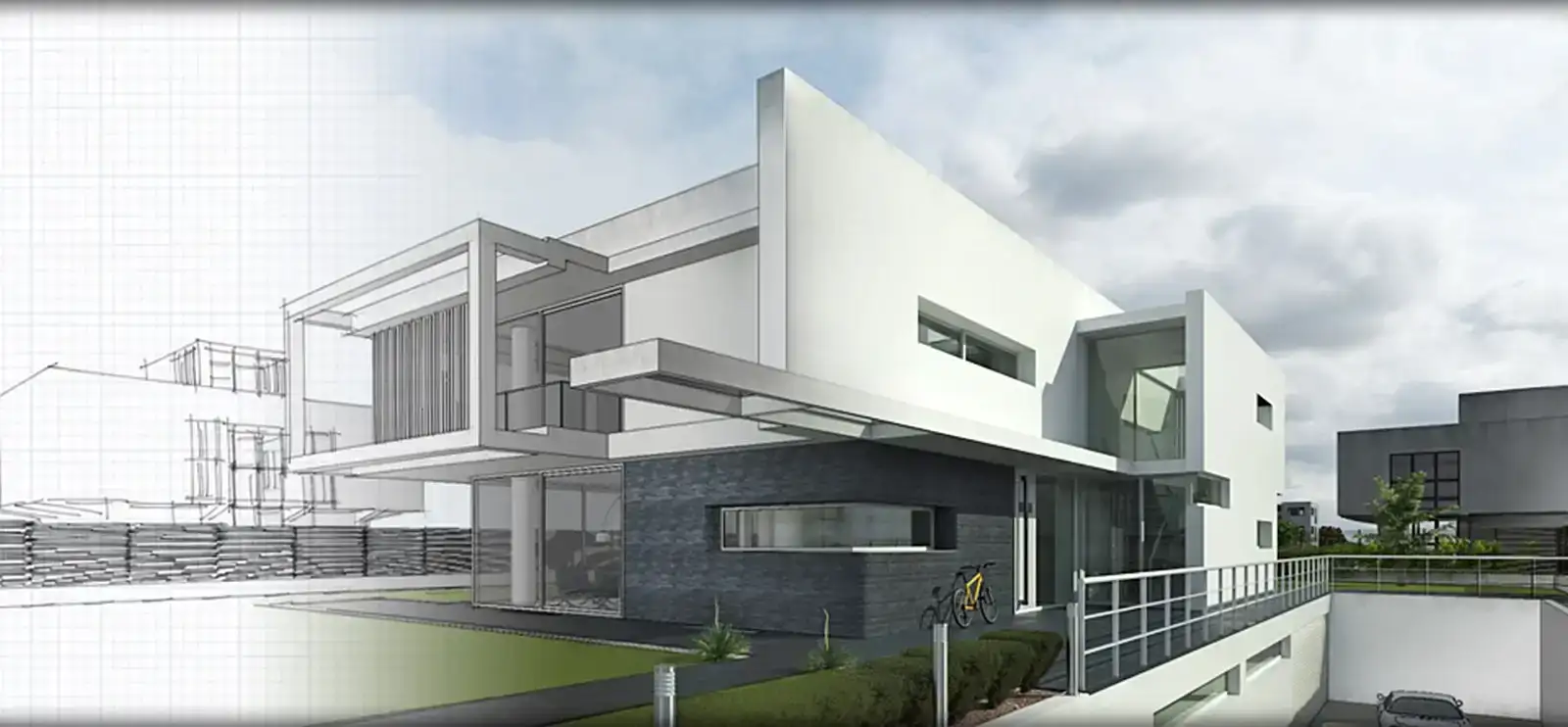
A photo-based scan of a building gives you a raw, bumpy mesh. It does not give you clean walls, true right angles, or editable doors and windows. That is why many architects and contractors outsource to 3D Architectural Modeling Services, which use the scan as a reference and rebuild the structure as clean, measurable geometry ready for BIM or CAD.
What Do You Need Before You Start?
You need a camera, a computer or phone app, and a well-lit subject before you start.
- Camera: A phone from the last few years works fine. A DSLR or mirrorless camera gives sharper results on large or detailed subjects.
- Computer: Desktop tools need a strong graphics card. Meshroom needs an NVIDIA card with CUDA support. RealityScan now runs on more hardware: version 2.2 added full AMD GPU support for Radeon, RDNA 4, and Ryzen AI Max on Windows.
- Turntable (optional): A cheap rotating stand makes small-object scans faster and more even.
- Scale bar or tape measure: Needed if your model must match real-world size.
- Soft, even light: An overcast day outdoors is ideal.
How Do You Take Photos for a 3D Model?
Shoot in a ring around the subject, with each photo overlapping the last by 60 to 80 percent. Then repeat the ring at a higher and lower angle. Overlap is the single biggest factor in a good scan.
How Many Photos Do You Need?
The right count depends on size and detail. These ranges come from common field practice:
| Subject | Photo count | Rings of shots |
| Small object (shoe, vase) | 40 to 80 | 3 rings: low, middle, top |
| Furniture or statue | 80 to 150 | 3 to 4 rings |
| Room interior | 150 to 300 | Shoot each wall from 2 to 3 heights |
| House exterior | 200 to 500 | Ground rings plus drone shots of the roof |
What Camera Settings Work Best?
Lock your settings so every photo looks the same. Changing light or focus between shots confuses the software.
- Aperture: f/8 to f/11 so the whole subject stays sharp.
- ISO: As low as possible (100 to 400) to avoid grain.
- Shutter: Fast enough to stop blur, or use a tripod.
- White balance: Set it manually, not on auto.
- Format: RAW if your camera supports it.
What Should You Avoid While Shooting?
Avoid hard shadows, moving people, and zooming. Keep the focal length fixed through the whole set. Walk closer instead of zooming in.
Shiny glass, chrome, and plain white walls are the hardest subjects. The software needs texture to match points. In practice, scanners spray shiny props with a temporary matte spray or stick small pieces of painter’s tape on blank walls to give the software something to lock onto.
How Do You Create a 3D Model from Photos Step by Step?
To create a 3D model from photos, follow these steps in order. The workflow is nearly the same in every major tool.
- Import your photos: Drop the full set into a new project. Delete blurry or duplicate shots first.
- Mask the background (optional): Masking removes the table or floor so the software focuses on the subject. Newer tools do this for you; RealityScan 2.0 brought AI-assisted masking, better alignment, and visual quality inspection tools.
- Align the images: The software finds matching points and works out each camera’s position. You get a scattered point cloud.
- Build the dense cloud or mesh: This step fills in millions of points and links them into triangles. It takes the longest, from minutes to hours.
- Generate the texture: The tool projects your photo colors onto the mesh.
- Set the scale: Mark two points with a known distance, such as each end of a scale bar.
- Export: Save in the format your next app needs.
On a mid-range PC, a 60-photo scan of a small object usually finishes in 20 to 40 minutes. A 400-photo building scan may take several hours at high quality.
Which Software Is Best for Turning Photos into 3D Models?
RealityScan is the best free pick for most people in 2026 for turning photos into a 3D model. Meshroom is the best fully open-source choice. Agisoft Metashape is the long-standing paid option for survey and heritage work.
| Software | Cost | Platform | Best for |
| RealityScan (desktop) | Free for most users | Windows | Speed and high detail |
| RealityScan Mobile | Free | iOS, Android | Quick phone scans |
| Meshroom (AliceVision) | Free, open source | Windows, Linux | Learning and full control |
| Agisoft Metashape | Paid license | Windows, Mac, Linux | Mapping, drones, accuracy |
| Apple Object Capture (Reality Composer) | Free | Mac, iPhone | Small objects on Apple devices |
| Polycam / KIRI Engine | Free tier plus paid plans | Phone and web | Beginners, splats, LiDAR |
RealityScan’s licensing makes it hard to beat on cost. According to the official RealityScan site, it is free for individuals and small businesses with less than $1 million USD in annual gross revenue, and for educators and schools with no revenue limit.
How Do You Clean Up and Export Your 3D Model?
Clean the mesh in Blender or MeshLab before you use it. Raw scans almost always have floating bits, holes, and far too many triangles.
What Cleanup Steps Matter Most?
- Delete stray pieces: Remove floating blobs and leftover floor or background.
- Fill holes: Patch the bottom of objects and any missed spots.
- Reduce polygons: Use decimation to cut a 5-million-triangle mesh down to 50,000 to 200,000 for games, web, or AR.
- Bake the texture: Move detail from the heavy mesh onto the light one as a normal map.
Which File Format Should You Export?
| Use | Format |
| 3D printing | STL or 3MF |
| Blender, Maya, 3ds Max | OBJ or FBX |
| Web, AR, and online viewers | GLB / glTF |
| Apple AR Quick Look | USDZ |
A scanned model is only half the job when the goal is a sales brochure or a client pitch. Scan textures carry the real-world lighting from the day you shot them, so the result often looks flat. For marketing images, firms commonly hand the cleaned model to 3D Rendering Services that relight it, add materials, and produce photorealistic stills and walkthroughs.
How Accurate Is a 3D Model Made from Photos?
A well-shot, properly scaled scan of a small object is often accurate to within a millimeter or two. Without a scale reference, the model has the right shape but no real size at all.
For buildings and land, surveyors place ground control points (GCPs) and measure them with GPS or a total station. The software then locks the model to those real coordinates. This step separates a nice-looking scan from a model you can measure, quote, and build from.
Final Thoughts
You can create a 3D model from photos with nothing more than a phone, a free app, and a careful photo routine. Strong overlap, steady settings, and even light do most of the work. Pick the method that fits your goal, clean the mesh before you use it, and add a scale reference whenever size matters. Get the capture right, and the software takes care of the rest.
Frequently Asked Questions
Q1: Can you make a 3D model from a single photo?
Yes, but only with AI image-to-3D tools such as Meshy or Tripo. They guess the hidden sides of the object, so the result looks right from the front but is not accurate. Use a single photo for concepts and game props. Use a full photo set when shape and size must be correct.
Q2: Is there a free way to turn photos into a 3D model?
Yes. RealityScan desktop and mobile, Meshroom, and Apple Object Capture are all free. RealityScan is free for individuals, schools, and companies under $1 million in yearly revenue. Meshroom is open source with no limits but needs an NVIDIA graphics card.
Q3: Can you use video instead of photos?
Yes. Most tools pull still frames from a video automatically. Move slowly and keep the camera steady, because video frames blur more than photos. Shoot in 4K if you can. Photos still give sharper detail, so use video for speed and photos for quality.
Q4: Can you 3D print a model made from photos?
Yes. Export the cleaned mesh as STL or 3MF. Make sure the mesh is "watertight," meaning it has no holes, and fill the base if it was sitting on a table. Set the scale first so the print comes out at the right size.