Twinmotion vs Lumion vs Enscape: Which Real-Time Renderer Should Architects Use in 2026?

In the Twinmotion vs Lumion vs Enscape debate, there’s no single best renderer. The right pick depends on what you render and how often. Most studios in 2026 don’t pick just one; they run Enscape for daily work and pair it with Twinmotion or Lumion for the final client render. That combination covers both speed and quality without compromise on either.
The best real-time rendering software for architects depends on which CAD software you are using, how rapidly you need to work, the image quality you need, your budget and how easily the software can be learnt.
- Enscape is best for making design changes and iterations on a daily basis in SketchUp or Revit. It is displayed live within your CAD software, eliminating the export or import step.
- When you are running on a low budget and you need interior shots to be highly photorealistic, you can use Twinmotion. Its Path Tracer provides the best lighting of the three. It is free for businesses with revenue under $1M.
- Use Lumion if you’re doing exteriors, landscaping and large sites where you want a nice, client-ready image at the end of the day. Many studios also use Lumion for interior stills. It’s the most expensive but also the best for its vegetation and scattering materials.
Wondering which renderer fits your project best? Compare the strengths, costs, and workflows of these three tools to choose the right one.
Twinmotion vs Lumion vs Enscape 2026: What’s the Core Difference?
| Feature | Enscape | Lumion | Twinmotion |
| Type | Plugin (inside CAD) | Standalone app | Standalone app |
| Built on | Own render engine | Own render engine | Unreal Engine 5 |
| Real-time rendering | Yes | Yes | Yes |
| Best for | Fast design-phase iteration | Polished exterior stills & animation | Budget-friendly interiors & schools |
| CAD integration | Revit, SketchUp, Rhino, ArchiCAD, Vectorworks | Import from most CAD tools | Import from most CAD tools |
| Sync speed | Instant (live plugin) | A few seconds (Direct Link) | A few seconds (Direct Link) |
| Entry price (2026) | ~$468/year | Higher than both | Free under $1M revenue |
| Paid tier | Single per-seat plan | Premium standalone pricing | $445/yr, up to $1,850/yr |
| Free option | 14-day trial only | Limited trial only | Free for firms under $1M revenue + free for students |
| Minimum VRAM | 4GB | Higher (8GB+ recommended) | Higher (8GB+ recommended) |
| Asset library | Smallest of the three | Large, curated for architecture | 1M+ assets (Quixel Megascans, Sketchfab) |
| Best image quality for | Fast, “good enough” interiors | Exterior hero shots, weather, animation, interior rendering | Interior lighting (Path Tracer) |
| Learning curve | Easiest (same as your CAD app) | Easy to moderate | Moderate |
Prices and features information are based on information from vendors that is publicly available and are subject to change. Check each vendor’s site for current rates.
Can these tools beat offline renderers or professional services?
None of these tools can beat an offline renderer like V-Ray or professionals. These tools are built for faster design changes and quick results, not maximum fidelity per frame. Offline renderers take more time but give more detailed and realistic results. For high-end marketing images and detailed project presentations, professionals are still a better choice. Most architects outsource 3D architectural walkthrough services to show the design in a more detailed and engaging way.
How Much Does Each Renderer Cost in 2026?

The cheapest option is Enscape, and this costs around $574 per year for one licence. For companies that bring in less than $1 million annually, Twinmotion starts free. For companies with over $1 million a year, it is $445 per year, and for those who require RealityCapture and greater access to the Unreal Engine, the price is $1,850 per team. Lumion costs more than both but beats most of the offline renderers.
| Tool | Entry Price | Free Tier |
| Enscape | ~$574/year | No (14-day trial) |
| Twinmotion | Free under $1M revenue | Yes |
| Lumion | Premium, higher than both | No (limited trial) |
Students and educators get Twinmotion free regardless of revenue. It’s the most common renderer taught in architecture schools right now.
Which Renderer Is Best for Architects Who Want High-Quality Images?
Lumion is still a strong choice for high-quality exterior shots and full-scene animations. Many studios also use it for interior rendering but it stands out most for exterior scenes and large landscapes. It has tools for volumetric fog, lens flare, precipitation, and depth of field. This gives you direct creative control that the other two don’t have. For the interior images, Twinmotion has become a strong competitor.
Its Path Tracer software uses Unreal Engine 5 technology. It shows a distinct improvement in the quality of indirect lighting and softer falloff of shadows in the interior of the model. Architecture forums and user threads repeatedly cite Path Tracer lighting as the specific reason teams pick Twinmotion for interior work over the other two.
Enscape does not focus on photorealism as it is optimized for speed. It delivers convincing results fast enough that you rarely notice the tradeoff.
Which One Integrates Best with My CAD Software?
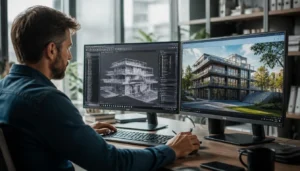
Enscape is a plugin. It has strong integration with CAD software. It opens inside Revit, SketchUp, Rhino, or Vectorworks. It shows a live render next to your model, as an Enscape real-time rendering plugin built by Chaos.
Open your CAD software, start Enscape, and the render updates live as you design, with no export step and no sync delay.
Twinmotion and Lumion work differently. You have to either take a “Sync” step or a “Direct Link” step to synchronize your CAD changes to Twinmotion or Lumion. This extra step adds up if your team makes changes many times a day. For this reason, firms using Revit as their main design software choose Enscape.
Which Renderer Has the Lowest Hardware Requirements?
Enscape has the lowest floor, running on GPUs with as little as 4GB of VRAM. Lumion and Twinmotion both push harder on your graphics card, especially at higher quality presets or with dense vegetation and large site models. These are just basic figures. You may need more VRAM for large, detailed, or complex projects.
A firm on older workstations will get usable results out of Enscape immediately; the same hardware running Lumion Pro at high settings will hit stutters and long load times.
Is Real-time Rendering Actually Replacing Traditional Renderers?
Not entirely, but adoption of real-time rendering software and other AI tools is accelerating. According to the State of AI in Architecture report from Chaos and Architizer, 46% of architecture firms already use AI in their visual workflow, and 74% of respondents said they’re likely or very likely to increase that use within the next 12 months.
Real-time renderers are part of that shift. They have made the design process much easier because architects can see changes live instead of waiting for each render. This is how architects reduce rendering time and make design changes faster.
Firms rarely abandon their offline renderer entirely. They narrow its use to final marketing images and competition boards, where the extra render time is worth it.
Conclusion
The Twinmotion vs Lumion vs Enscape choice is not really a fight over which software is better. It’s about which one fits your work best. Each tool is built for three different needs in the same project.
Twinmotion gives you the highest degree of interior lighting with the lowest cost, and it is free for most small studios. Lumion provides you the detailed exterior and landscape toolset that reflects its position as a finishing tool. Enscape gives you real-time rendering without any hassle inside the CAD programs you already use daily. All of these tools keep improving every year, and all three have real architects using them daily on real projects.
Choosing the best renderer for architecture firms depends on the type of work they do most. The mistake most architects make isn’t picking the “wrong” one. It is picking based on hype instead of their own workflow.
Frequently Asked Questions
Q1: Do I need a serious graphics card for any of these tools?
Yes, all three need a dedicated GPU. Enscape asks for at least 4 GB VRAM. Lumion needs more power like 8GB or more for standard project work.
Q2: Can small firms really use Twinmotion for real paid work, not just practice?
Yes, totally. Twinmotion is free as long as your firm makes less than $1 million a year. It works like the paid version and nothing is locked or limited.
Q3: Which one of the renderers is easiest to learn for a beginner?
The learning curve is the shortest for Enscape, as you don't require any additional steps to build your scenes and it replicates your CAD interface. Both Twinmotion and Lumion use standalone interfaces. So beginners need some time to get familiar with tools and workflows.